 COME
Find COME Language, Sound and Help Controls
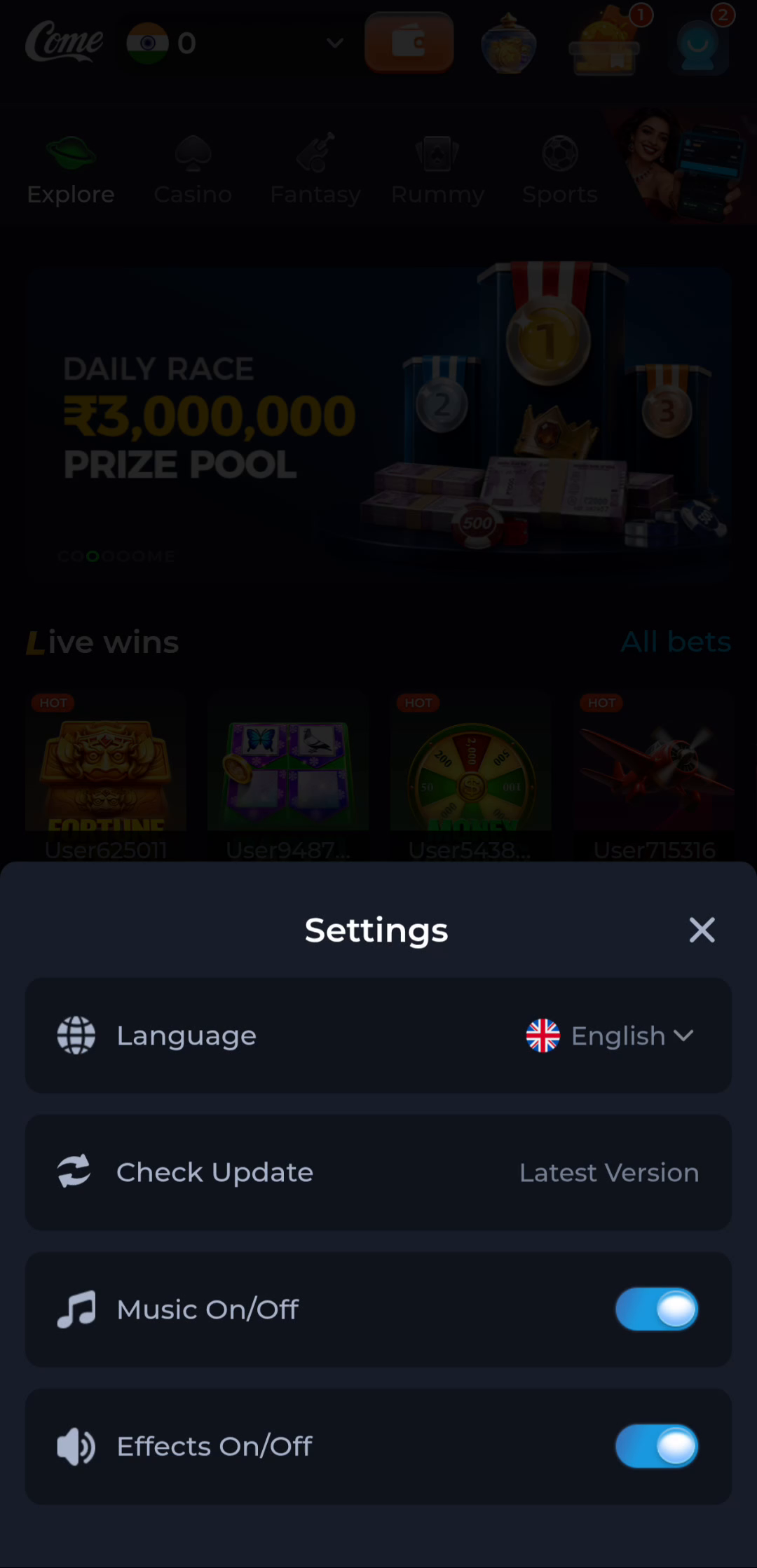
The COME Settings screen groups language, update checking and sound preferences. Use the label that matches the task instead of changing account access or reinstalling the app.
Read the preferences panel
Language appears above Check Update, Music and Effects in the pictured panel. The image shows the controls available on that screen; the layout and options on your current version can differ. Read the label before changing a switch.
Separate music from effects
The panel contains separate audio controls. If the issue concerns a particular sound, check the relevant app preference and the phone’s audio state before treating it as an installation problem. Do not infer the purpose of an unlabelled control from its position alone.
Use help for account or connection problems
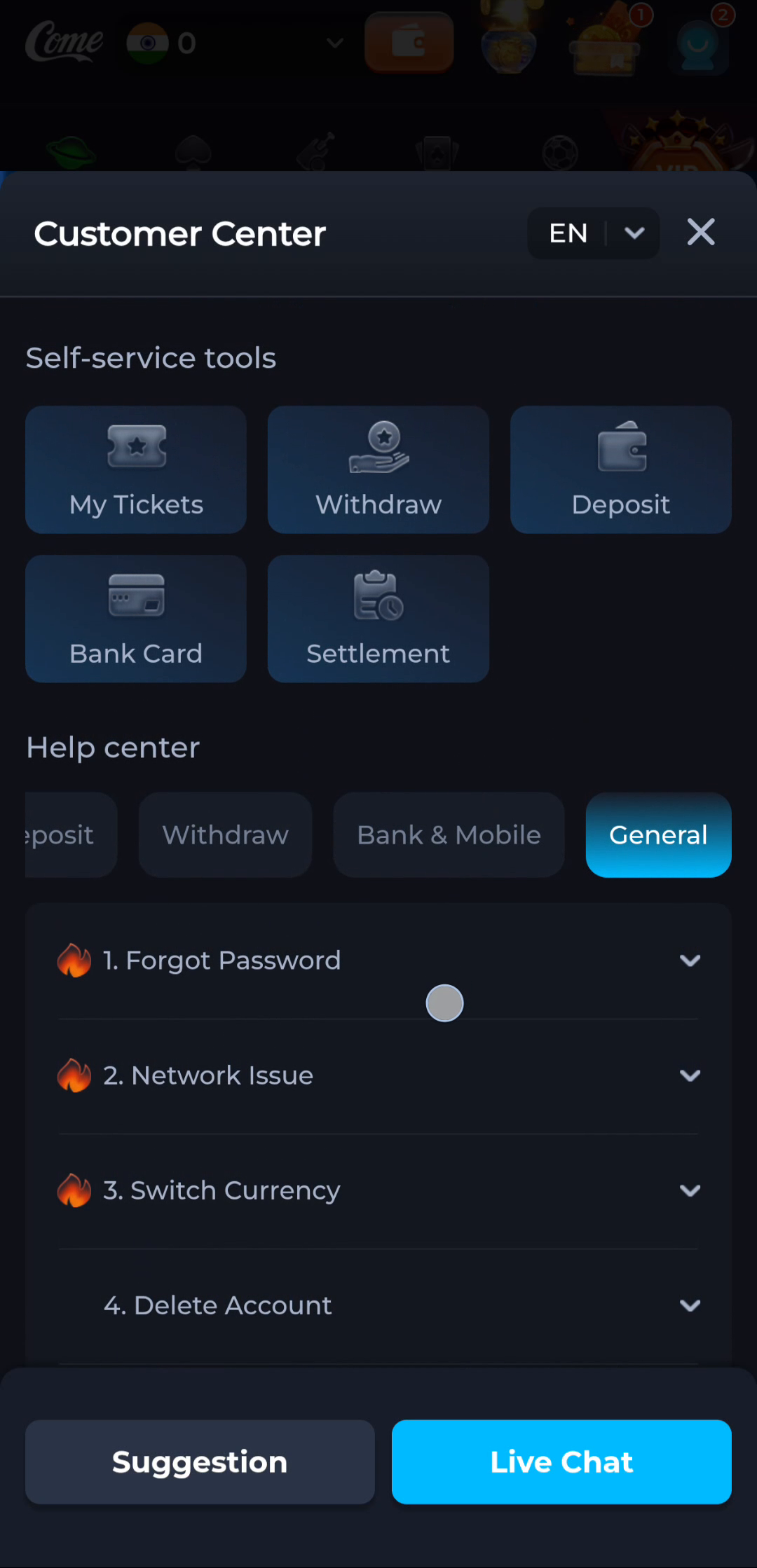
COME Customer Center has a General section with topics such as Forgot Password and Network Issue. These are help tasks rather than language preferences. Choose a topic that describes the message you actually see.
Keep device controls distinct
Android permissions and app information live in the phone’s settings. They should not be confused with the in-app preferences shown here. A protection warning should be investigated on its own terms, with device security kept enabled.
Make a small, relevant change
Adjust only the preference connected to your question and check the result. If a setting does not resolve it, record the symptom before making additional changes. Keep account access intact while asking for help; an unrelated logout or reinstall can introduce a second problem.